Lately I’ve been building AI agents and skills to help my design team move faster. That work gives engineering, QA, product, research, and content a shared codebase to work from.
Hey, I’m Jay.
Researcher, designer, builder, and engineer of products and systems.
Order POS
devices.
Estate management.
A unified transactions experience.
Digital home, redesigned.
An easier path to purchase.
About.
I studied game design and development, as well as new media. I’ve since designed for photo kiosks, telecom, personal banking, and corporate investment banking.
Outside of work, I’m usually taking photos, hiking, crocheting, baking cookies, or figuring out how to build the next idea in my head.
JPMorganChase
Design platform engineering.
I made the founding commit for Commerce Center’s React code base and maintain it with the design team. I built the tools that take a designer’s branch through review and integration and give engineering a versioned build to work from.
By the numbers
- Contributors
- 30+
- Engineering handoffs
- 40
- Pull requests I merged
- 152
Acme Pay
Explore an interactive, white-label model of the merchant portal. It shows the interactions and implementation detail captured in the Commerce Center React code base.
Design code-based lifecycle
11 steps
From the first branch to the next release
Follow a design change as content, research, and engineering contribute to the shared code base.
Cut the design branch
Start from the latest shared develop branch. The new feature branch gives design and content a place to work together.
Edit the design code
Make the change in the working React app and check the interaction in the browser.
Commit the change
Save the edits as a commit so the team can review a specific set of changes.
Push the branch
Push the commits and share a preview tied to that branch so partners can see the change in context.
Content commits on the same branch
A content partner edits the copy in context and commits it to the design branch. The next preview includes both sets of changes.
Tag a build for research
Tag the exact commit and cut a research branch from that snapshot. The study stays on a stable version while design work continues.
Bring research findings back
Run the study on the research branch. Bring findings and validated changes back into the active design branch before integration.
Open a pull request to develop
Open a PR from the design branch into develop so reviewers can inspect the changes and the preview together.
Approve and integrate
Peers review the work. The integrator checks how it fits with other changes and resolves QA findings before the merge.
Merge into develop
Merge the approved, integrated change into the shared develop branch.
Pull down the updates
Pull the latest develop into the local checkout. The next branch can start from the integrated work.
The opportunity
Design, research, review, and engineering handoff lived in separate places. I wanted teams to make decisions on the same high-fidelity prototype and give engineering a version it could build from.
Build the prototype and its standards
Five weeks after my first Git commit, I made the founding commit for the React and TypeScript platform. I built the shell, routing, reusable components, and agent playbooks that apply the team’s design standards in GitHub Copilot and Claude Code.
Make delivery repeatable
I built shareable links to working prototypes, in-browser peer review, and audits for component use, content, and accessibility. Engineering receives an immutable Git tag, a pinned preview, and a manifest with components, tokens, data, and build order.
Help the team run it
I integrated seven of the first eight release batches, wrote a Git curriculum for designers, and created a training program for new integrators. I also packaged the playbooks as the Commerce Digital Harness and built Kiln for working across live previews and Git worktrees.
JPMorganChase
Order POS
devices.
Ordering hardware used to take a call with a servicing agent and at least 30 minutes. I worked in an AI-assisted pod that brought self-service ordering to 80% completion in 10 days.
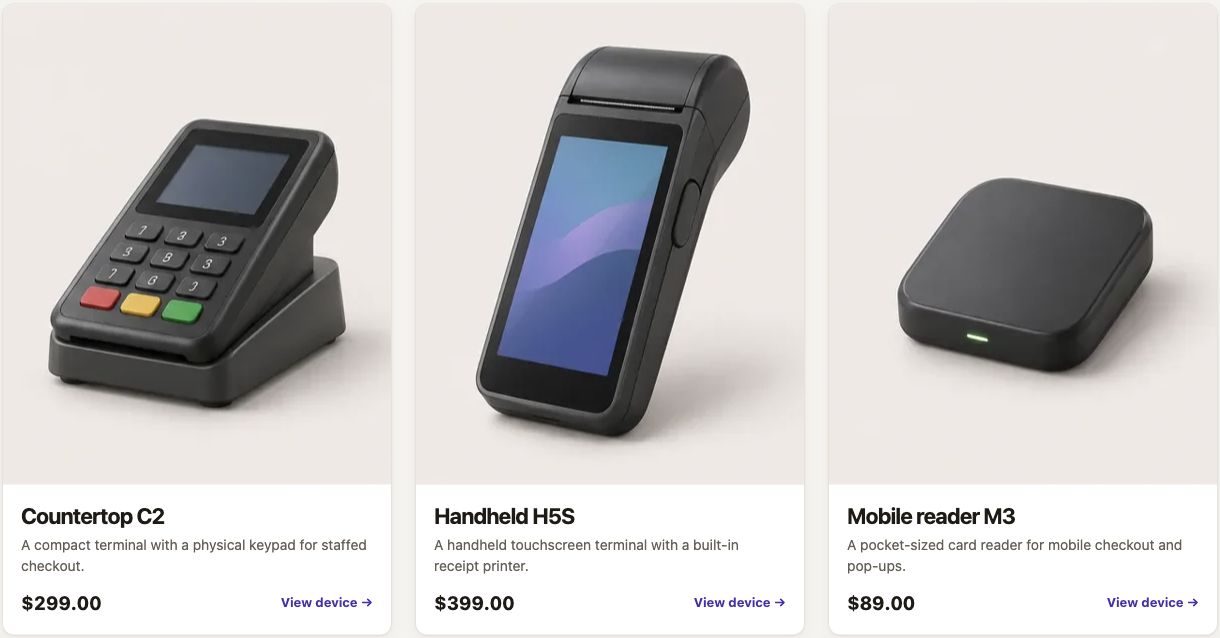
Explore hardware ordering
Browse the device catalog, configure a terminal, and take a sample order through checkout.
Work as one pod
I was embedded with three engineers and a product stakeholder. We stayed in close contact throughout the build, working through design, scope, and implementation decisions together as they came up.
Build in code with AI
We used AI to turn design decisions into working front-end code and iterate in the shared experience. The whole pod reviewed the same build as it changed, which helped us spot design and implementation issues in the same conversation.
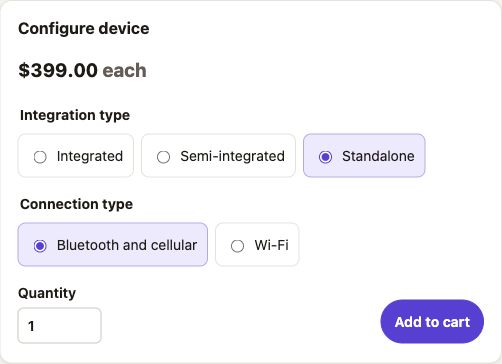
Serve one shop or an entire estate
A small business might order one terminal. An enterprise needs to order across multiple locations. I aligned purchase and return flows around both cases and tested the storefront with both audiences.
JPMorganChase
Estate management.
I designed a net-new self-service experience for managing point-of-sale devices. It handles the complexity of large enterprise estates and works for mom-and-pop shops managing a single location.
Explore device management
Open a location, find devices that need attention, and review a settings change before applying it.
Start with the estate
An estate manager needs to see what’s happening across locations and still be able to act on one terminal. I ran workshops with Product and Engineering to map how the estate, stores, devices, and settings relate.
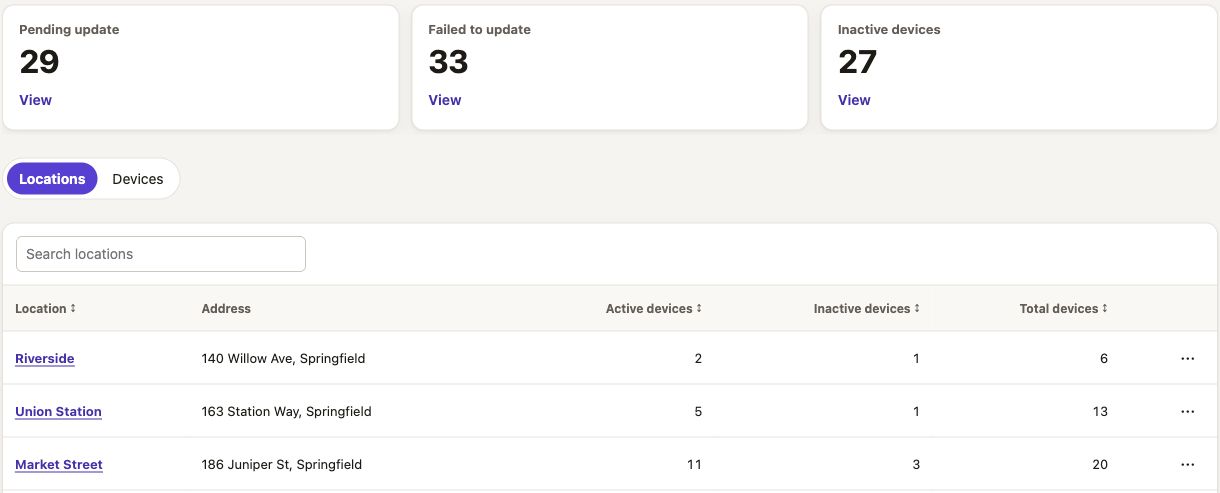
Make the backend understandable
I worked with Product, Architecture, and Engineering to understand what the backend could do and how it treated first-party and third-party devices. We mapped the differences into a front end that makes each merchant’s available actions clear.
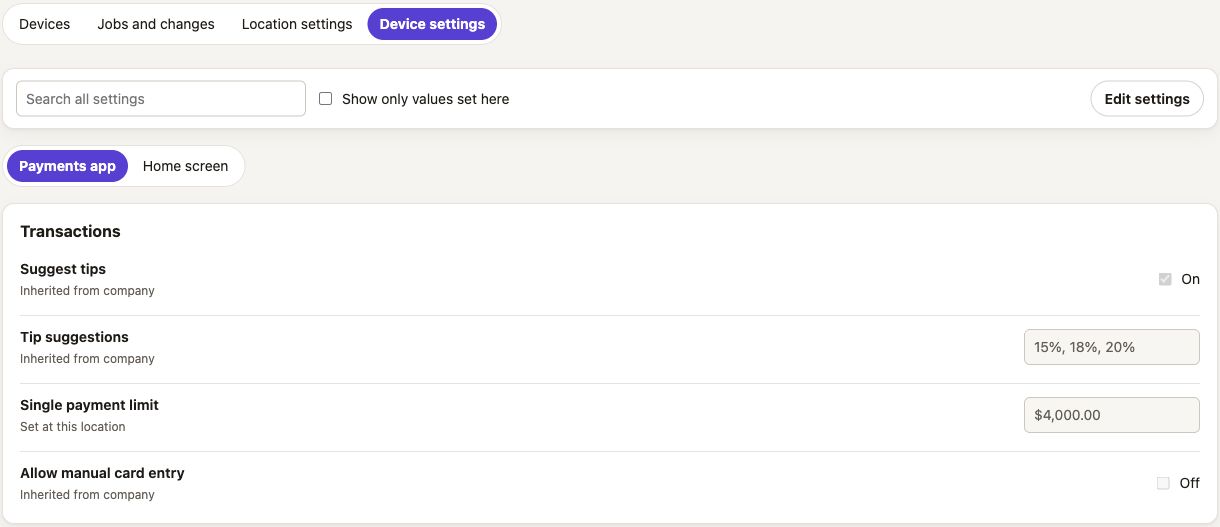
Design for growth
Small businesses could manage a limited set of devices. As merchants grew, they needed the same experience to work across more locations and a mix of hardware. I designed around a consistent estate, location, and device hierarchy that supports both scales.
JPMorganChase
A unified transactions experience.
I designed a single Sales view for Commerce Center’s two-tier transactions system. Merchants have one place to see sales grouped by order and drill into payment details across different payment rails.
Follow a payment
Search or group payments by order. Open a result to follow the authorization, capture, fees, and funding.
The challenge
Different payment rails exposed different fields and could make information available at different times. Merchants researching a transaction had to understand where to look and what each result meant.
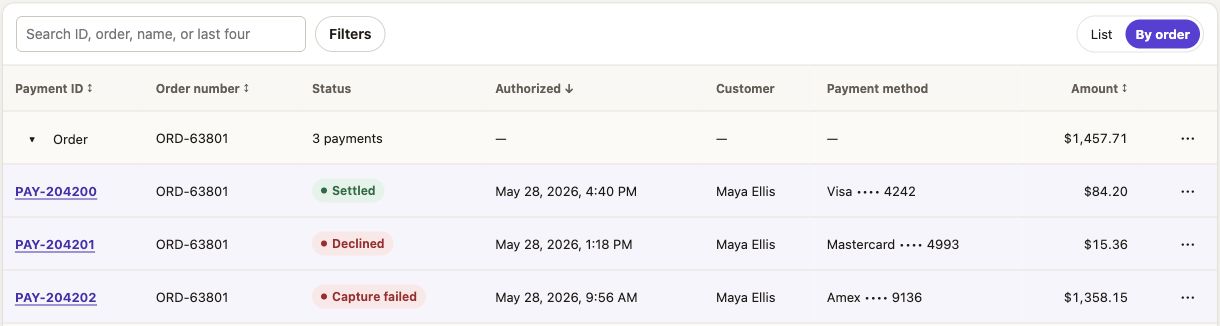
Find the common model
I mapped data from the data lake to sales, orders, payments, and related records. I worked through entitlements and access with Product and Engineering to understand what each user could see and what information they needed.
Make details recognizable
I designed a shared transaction detail pattern that could carry the same core information across payment activity, reports, and related areas, with room for differences in the underlying data.
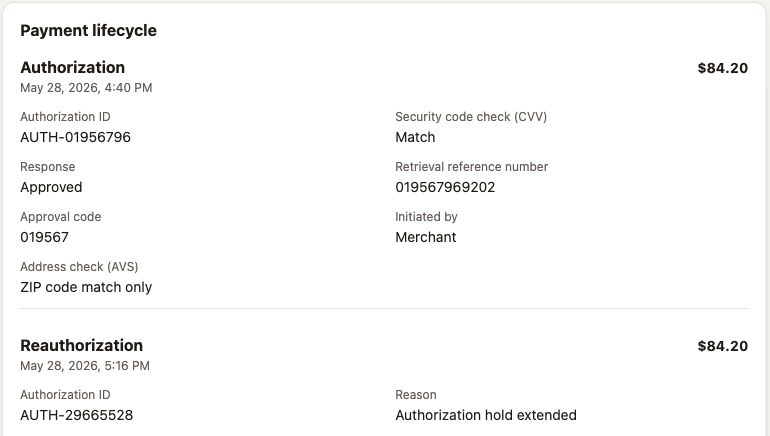
CenturyLink
Digital home, redesigned.
I partnered with the mobile designer, research, and the design system team at Lumen to align CenturyLink’s account experience across devices.
Design screens


Start with the device people use
Usage data showed that nearly 45% of customers completed account tasks on their phones. We used that to prioritize a responsive design for billing, services, and support.
Design the shared experience
I focused on desktop web while my design counterpart focused on native mobile. We compared directions through peer critique and worked with a shared researcher to test the flow and navigation.
Validate across screens
In A/B testing, users preferred the updated interface and information architecture. They specifically called out consistency across mobile and desktop.
Quantum Fiber
An easier path to purchase.
I took over an internet checkout already in production and extended its design patterns to support new offers and purchase scenarios.
Design screens


The challenge
New offers and device options had to fit within templates that allowed little variation. Customers needed enough information to make a choice at each step.
Extend the pattern
I worked with engineering to identify where the checkout needed more flexibility. I prototyped new patterns while retaining the sequence and interaction conventions customers already encountered.
Test the changes
Users preferred the updated patterns and reported greater confidence in their choices. I used those findings to make the case for when the team should use the new patterns.